

Ready to Publish?
Publishing requires a Pro plan ($1,000/month) or higher. You can take your app live on your own at any time by pressing Publish in the top right corner of the Specode UI. The guided publish flow walks you through every step - no need to wait for the Specode team. Before you can publish, you’ll need:- A HIPAA audit with no blocking findings
- A production Convex deployment connected via deploy key
- Signed BAAs with all services that handle PHI
- Production environment variables configured (email provider keys, etc.)
Before You Publish: Connect Your Services
Before starting the publish flow, connect your GitHub repository and Convex production deployment from Project Settings > Connections.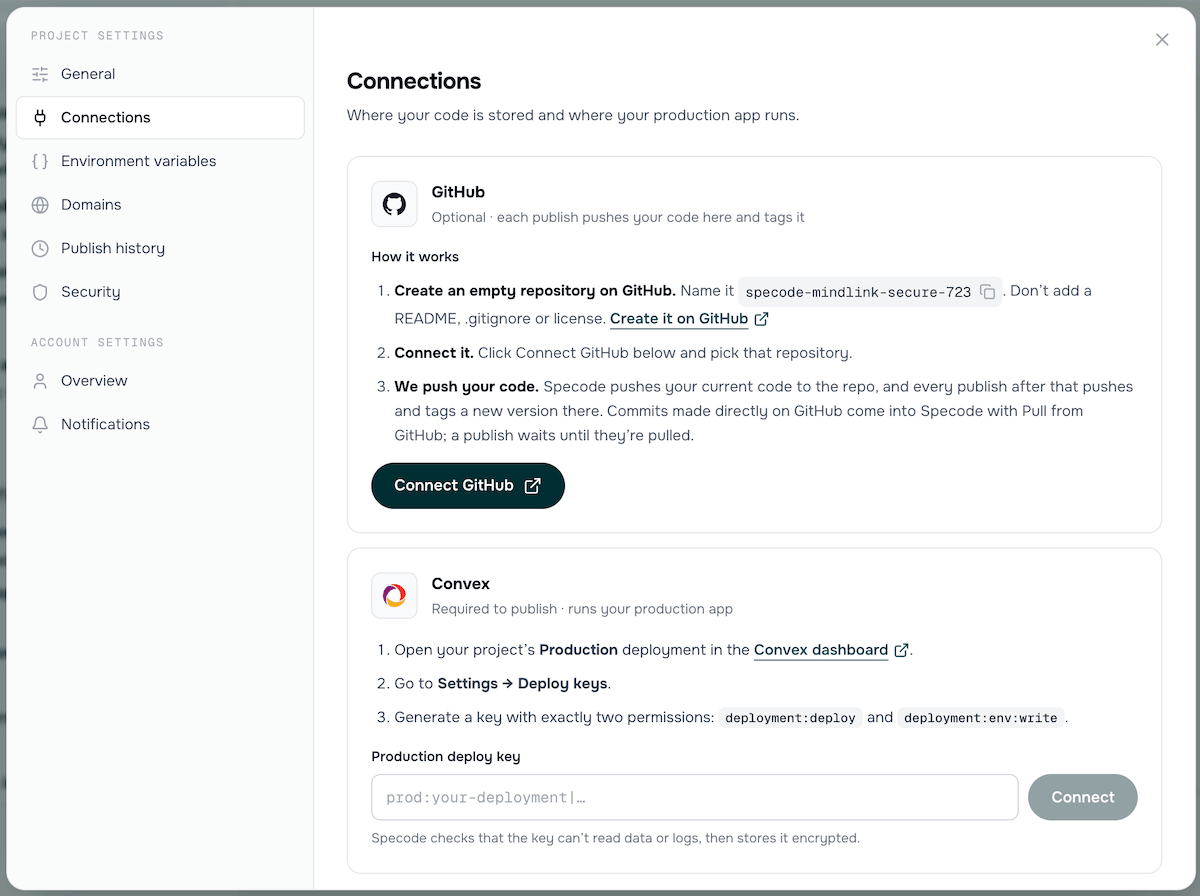
Project Settings > Connections - connect GitHub and Convex before publishing.
GitHub (Optional)
Connecting a GitHub repository is optional but recommended. Each publish pushes your code to the repo and tags it with a version number, giving you a full history of every deployed version.- Create an empty repository on GitHub. Specode suggests a name based on your project (e.g.,
specode-mindlink-secure-723). Don’t add a README, .gitignore, or license. Create it on GitHub - Connect it. Click Connect GitHub and pick that repository.
- Specode pushes your code. Your current code is pushed immediately, and every publish after that pushes and tags a new version. Commits made directly on GitHub come into Specode with Pull from GitHub; a publish waits until they’re pulled.
Convex (Required)
Your production app runs in your own Convex account. Specode publishes to it using a restricted deploy key.Open your Production deployment in the Convex dashboard
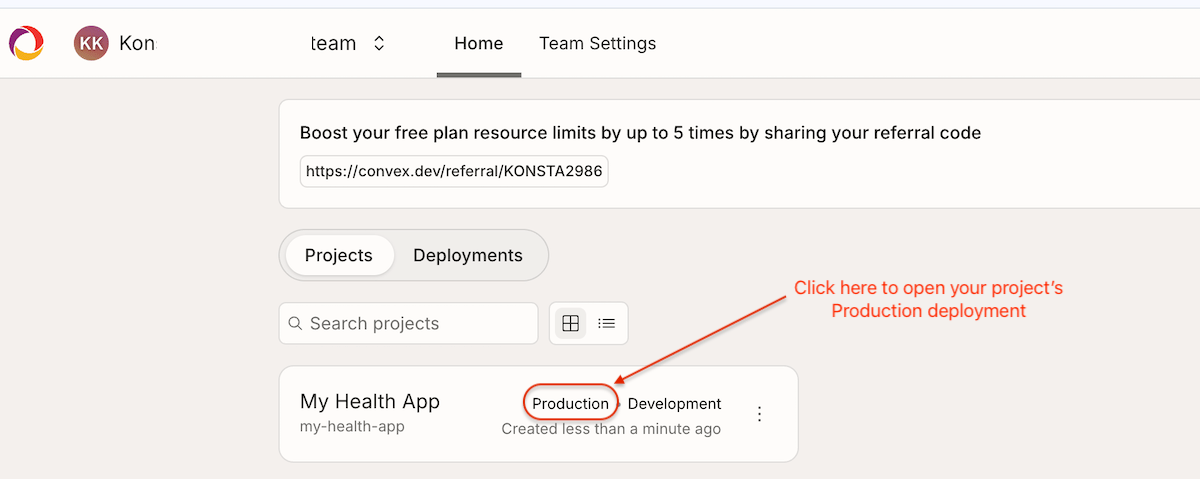
In the Convex dashboard, click Production next to your project to open the production deployment.
Go to Settings > Deploy Keys
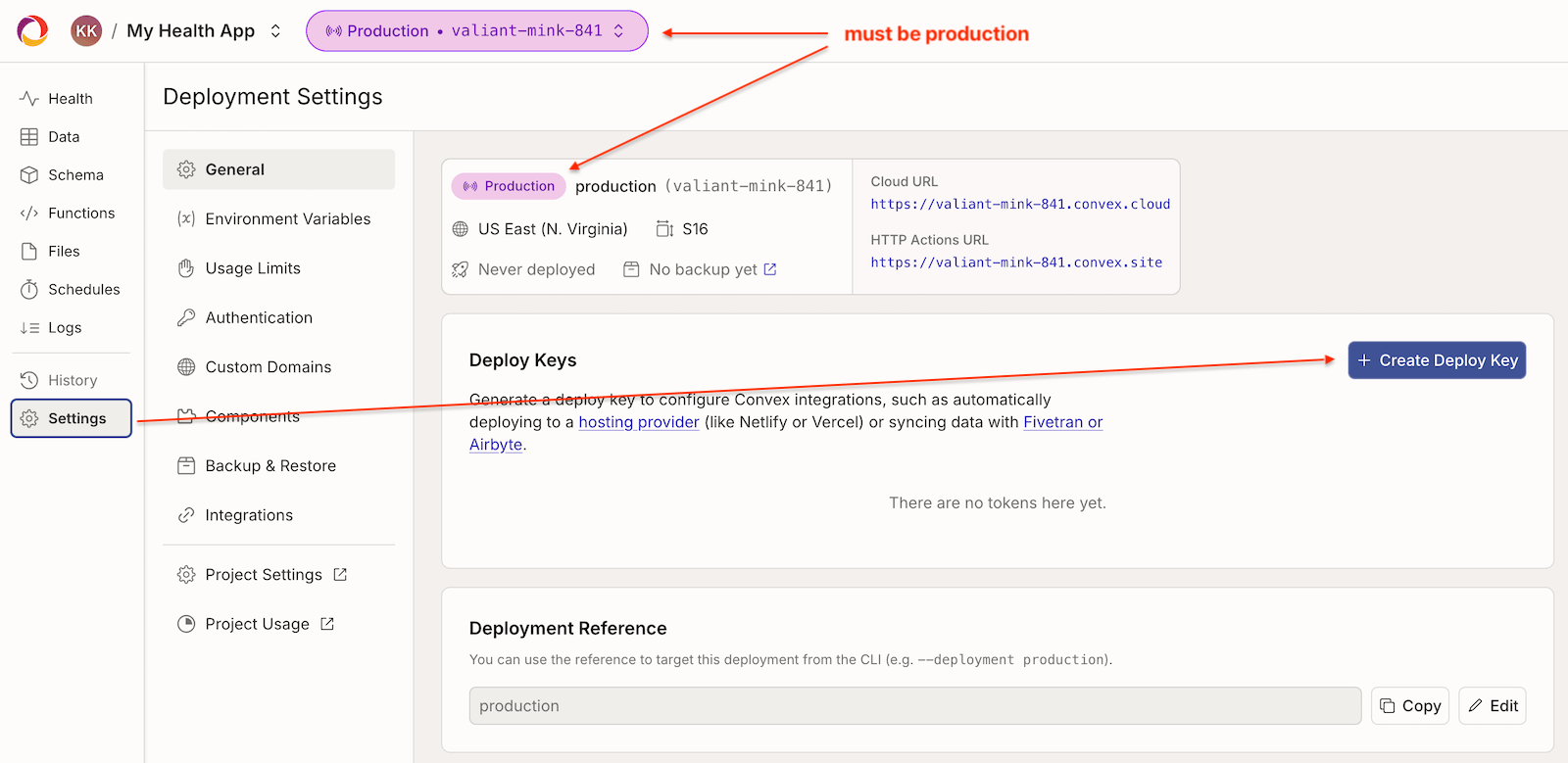
Deployment Settings - click + Create Deploy Key.
Create a deploy key with exactly two permissions
- deployment:deploy
- deployment:env:write
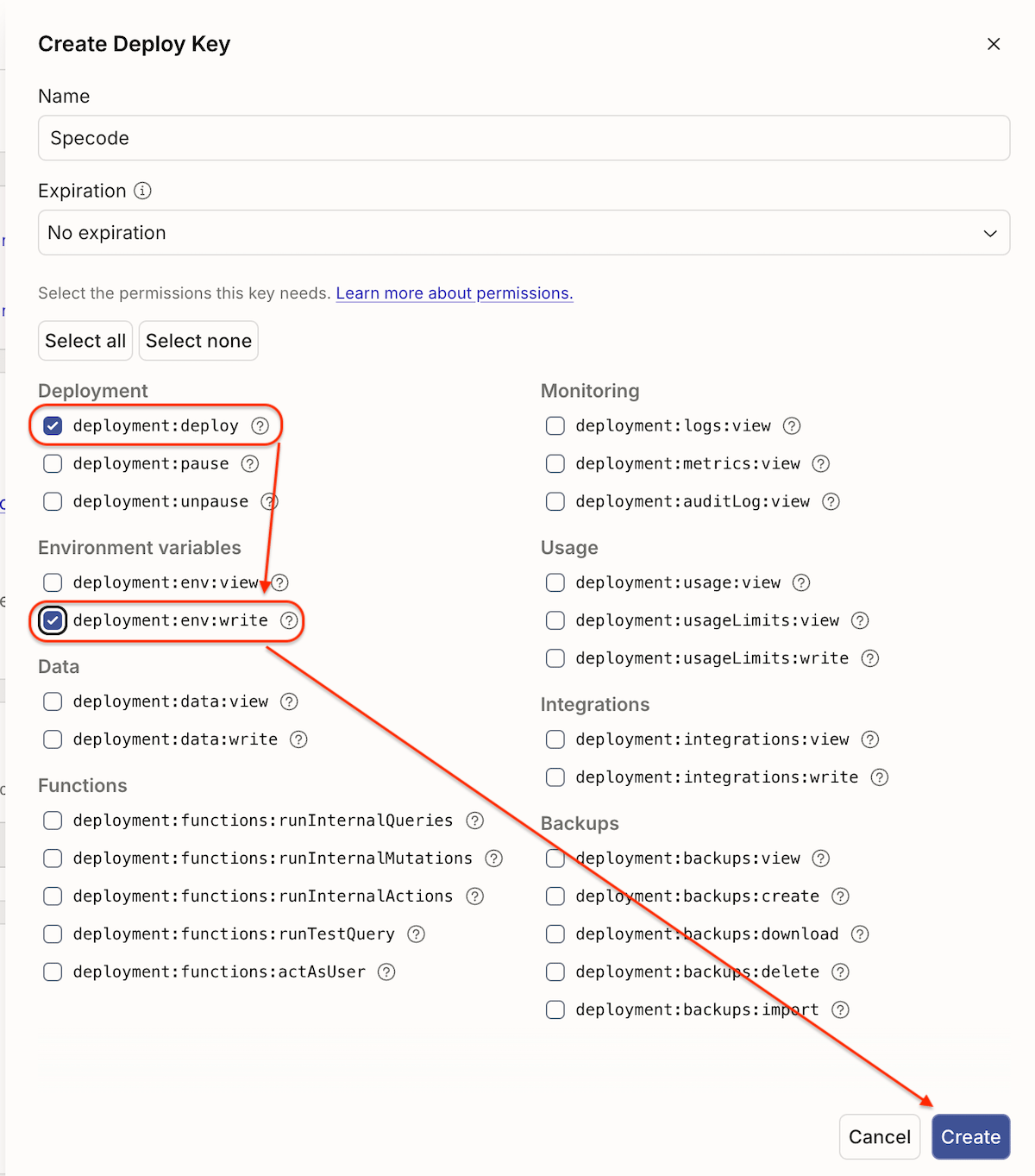
Create Deploy Key - select only deployment:deploy and deployment:env:write.
Copy the deploy key
prod:your-deployment|....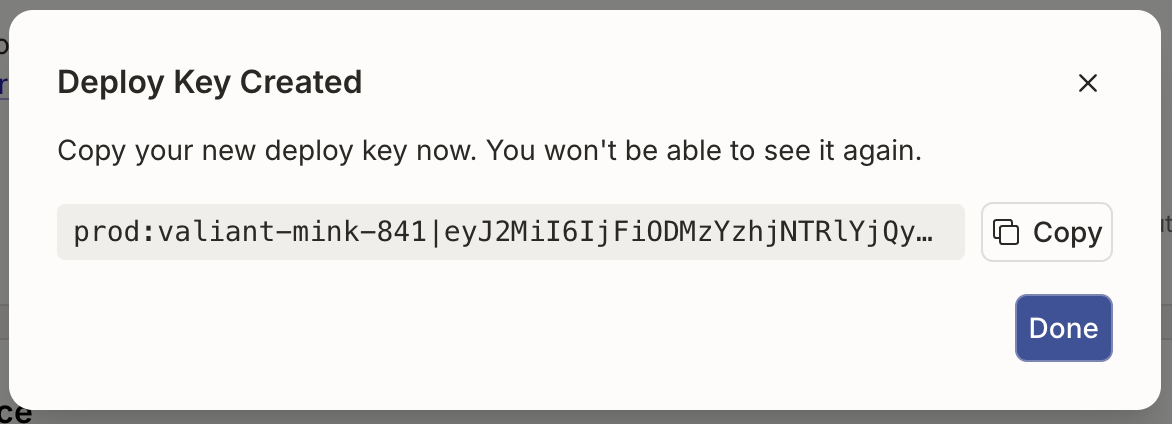
Copy your new deploy key. You won't be able to see it again.
Paste it into Specode
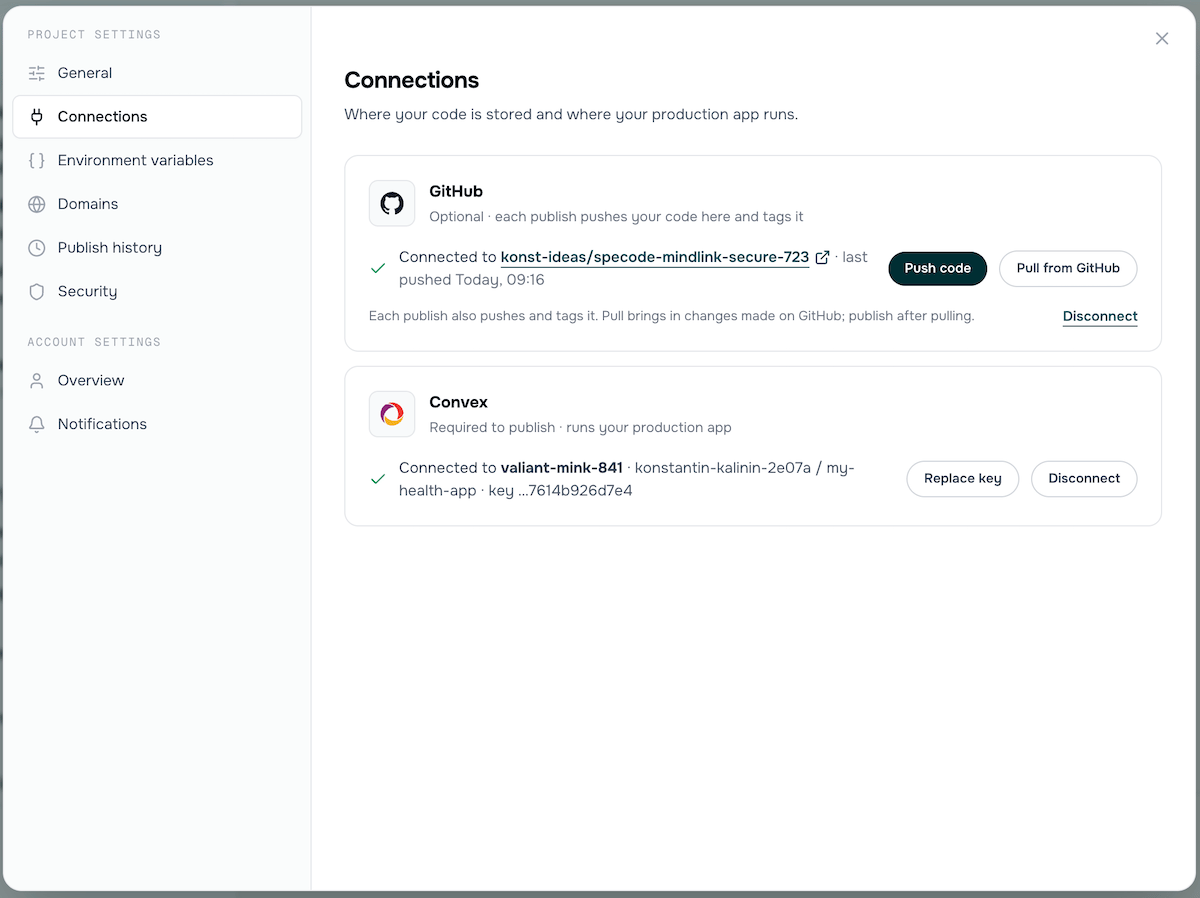
Both GitHub and Convex connected and ready for publishing.
The Publish Flow
Press Publish in the top right corner to start. The flow has five steps, and you can go back to any previous step at any time.Step 1: HIPAA Audit
Specode runs a HIPAA compliance audit on the code you’re about to publish. All blocking findings must be resolved before you can continue.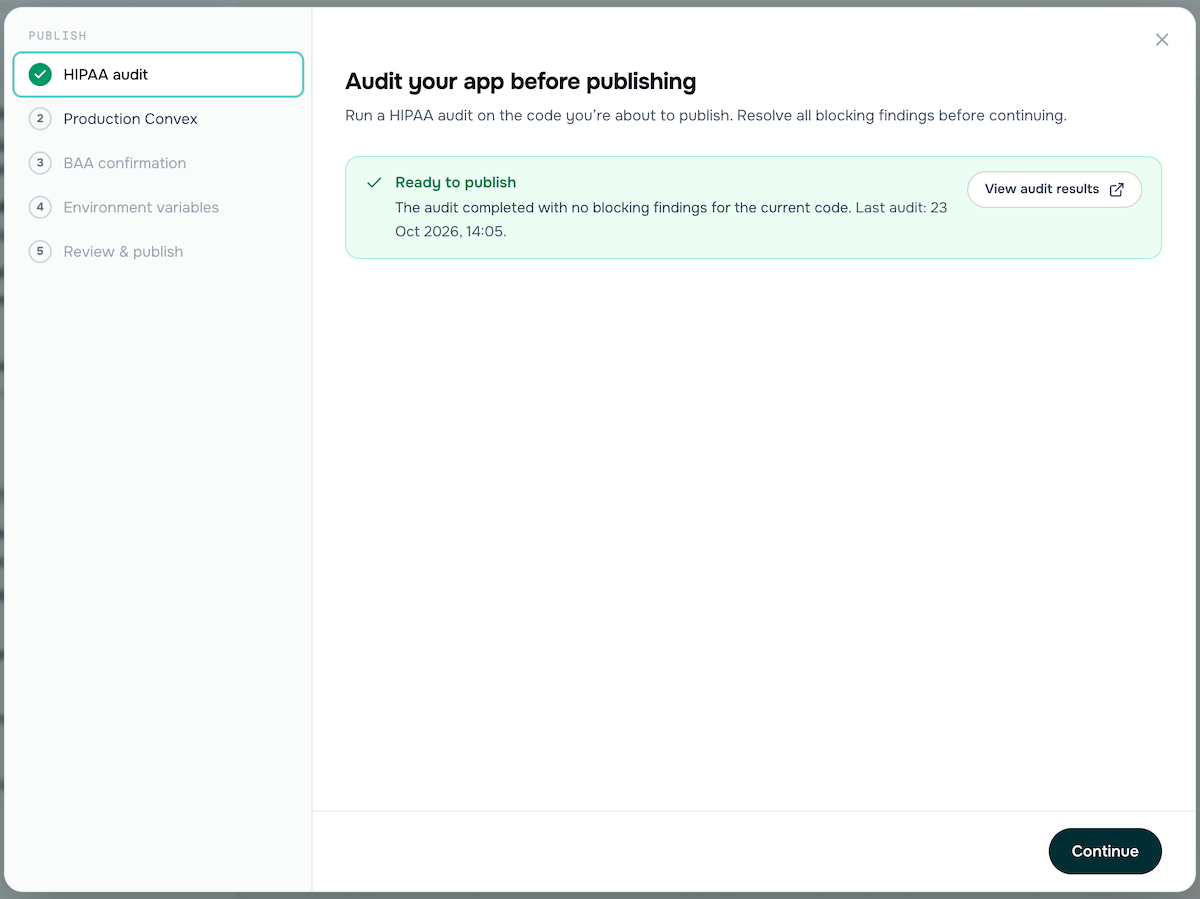
Step 1 - HIPAA audit passed with no blocking findings.
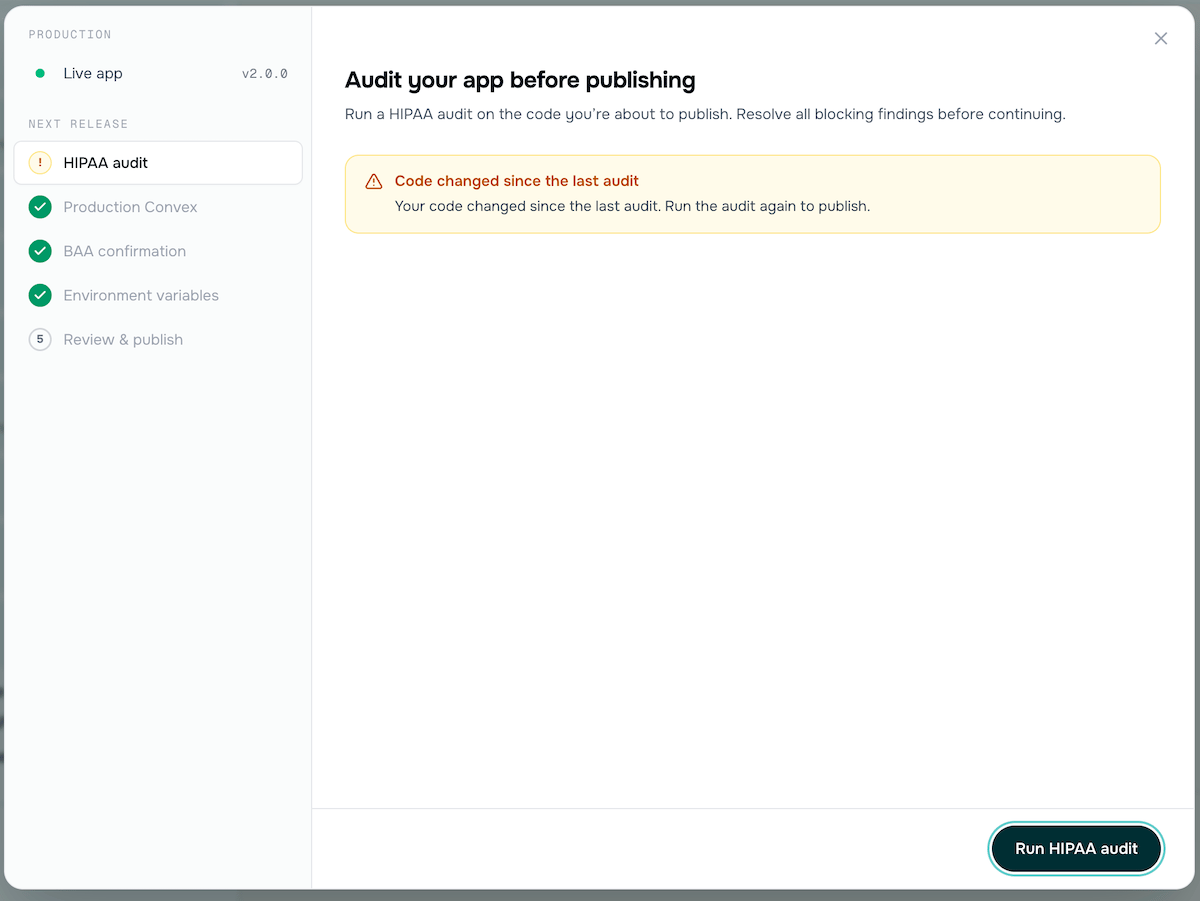
If code changed since the last audit, you'll need to run it again.
Step 2: Production Convex
Connect your production Convex deployment if you haven’t already done so from Project Settings. If you’ve already connected it, this step shows the connected deployment.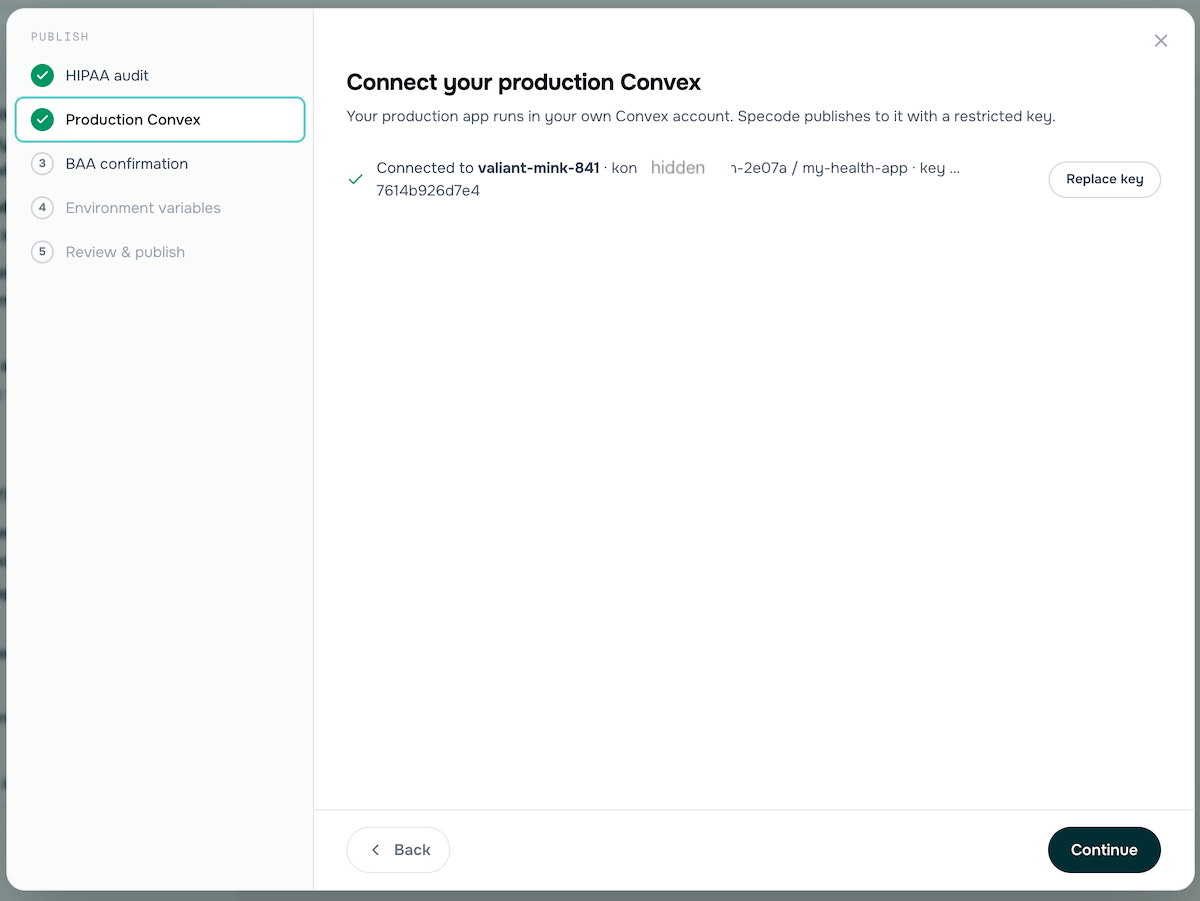
Step 2 - Production Convex connected.
Step 3: BAA Confirmation
Confirm that you have Business Associate Agreements (BAAs) in place with all services that handle patient data. The publish flow lists the services that may receive patient data (e.g., Convex). A BAA with Convex is required - it’s included on the Convex Professional plan (request it from support@convex.dev). For other services, follow your own policies. Some services only handle data like sign-in codes and may not need one.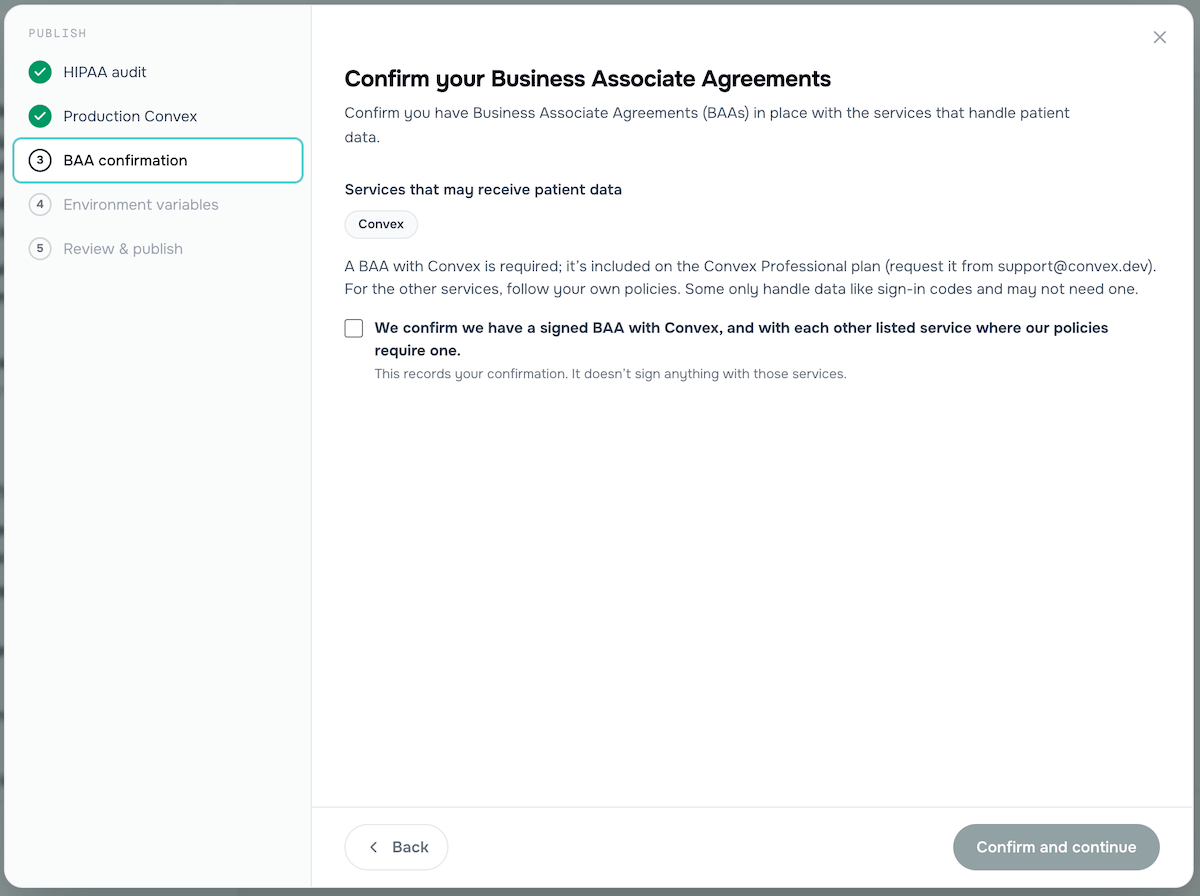
Step 3 - Confirm your BAAs are in place.
Step 4: Environment Variables
Configure production environment variables. These go straight to your production Convex deployment - Specode can’t read them back and only tracks which are set. Variables are detected from your app’s code. Required variables must be set before you can continue. Common variables include:- AUTH_EMAIL - The From address for sign-in emails (required)
- MAILGUN_API_KEY - For sending sign-in and password-reset emails from your own Mailgun account (required)
- MAILGUN_DOMAIN - Your Mailgun sending domain (required)
- AUTH_EMAIL_NAME - The From name for sign-in emails (optional)
- BETTER_AUTH_TRUSTED_ORIGINS - Extra origins allowed to sign in, comma-separated (optional)
- OPENAI_API_KEY - If your app uses OpenAI (optional)
SITE_URL (from your domain), BETTER_AUTH_SECRET, and VITE_PROJECT_NAME automatically.
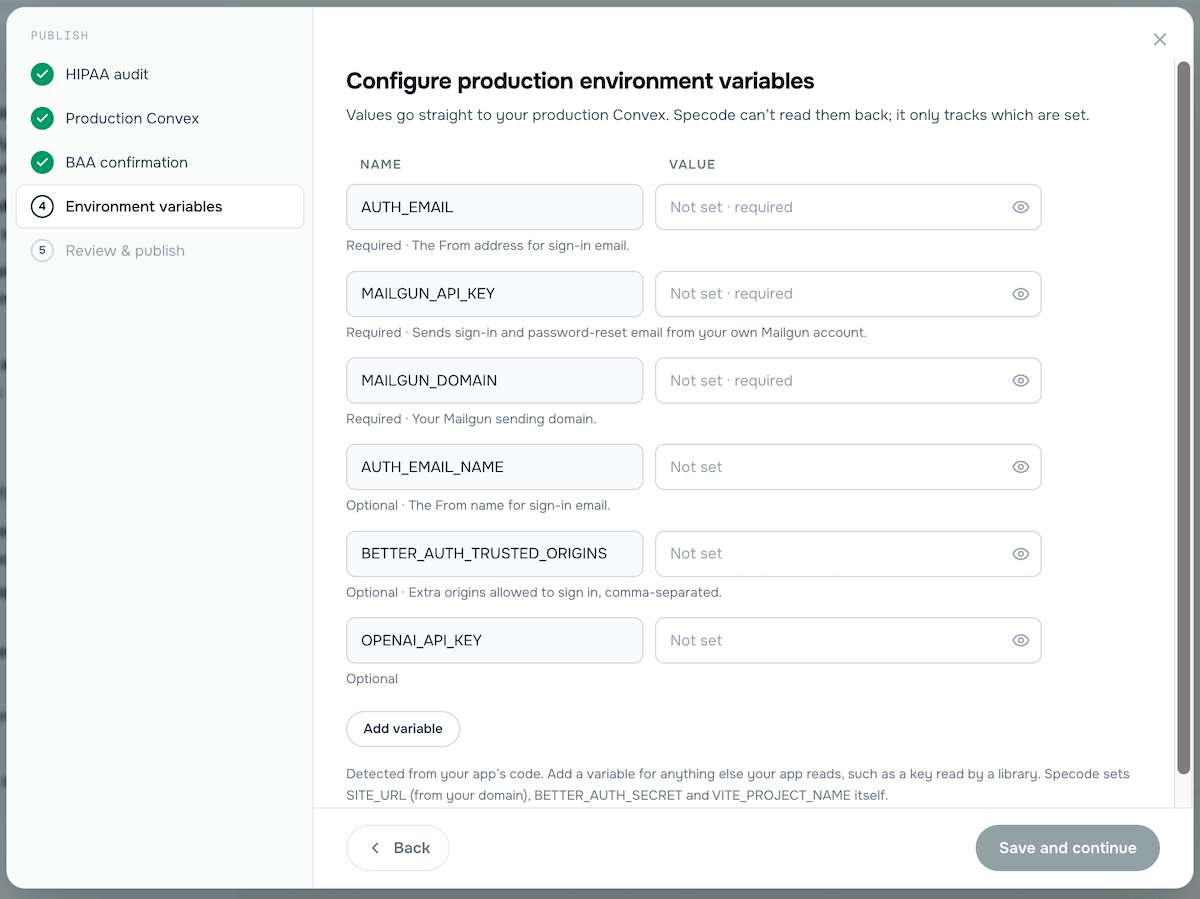
Step 4 - Configure your production environment variables.
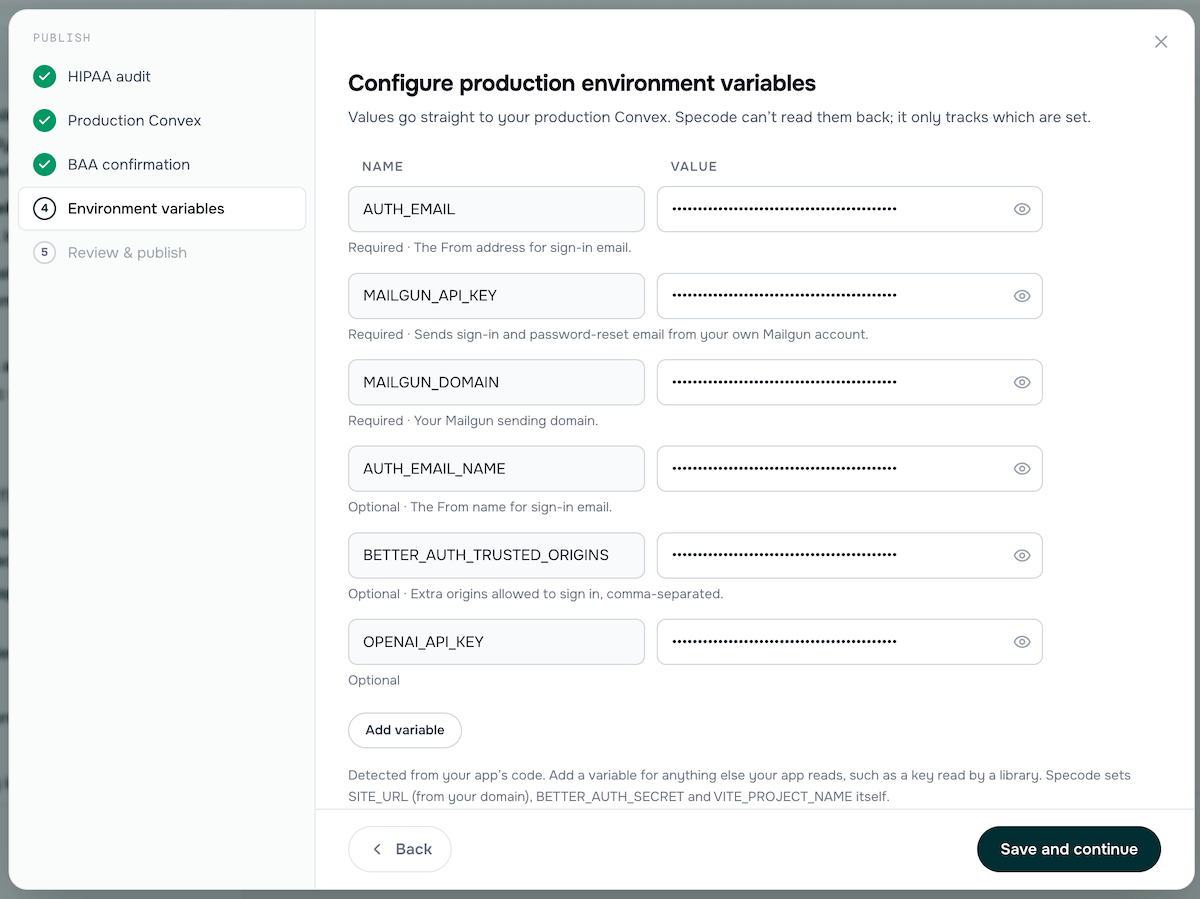
All required variables filled in and ready to save.
Step 5: Review and Publish
Review your production setup, then publish. The summary shows each step’s status, the destination Convex deployment, the release number and version, and which GitHub repo will receive the code.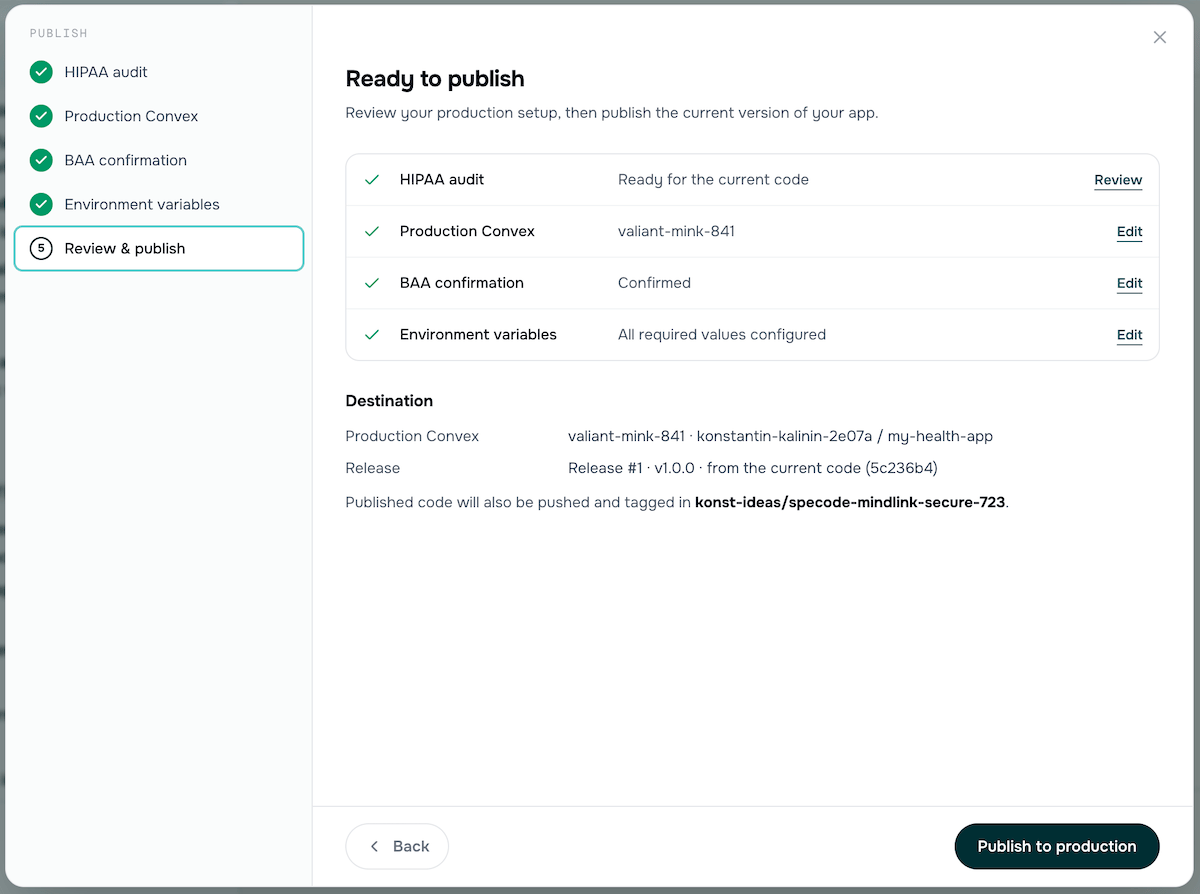
Step 5 - Everything is green. Click Publish to production.
- Cut a release from the current code
- Push the backend to Convex
- Publish the frontend
- Check that the live app responds
- Tag the release in your GitHub repo
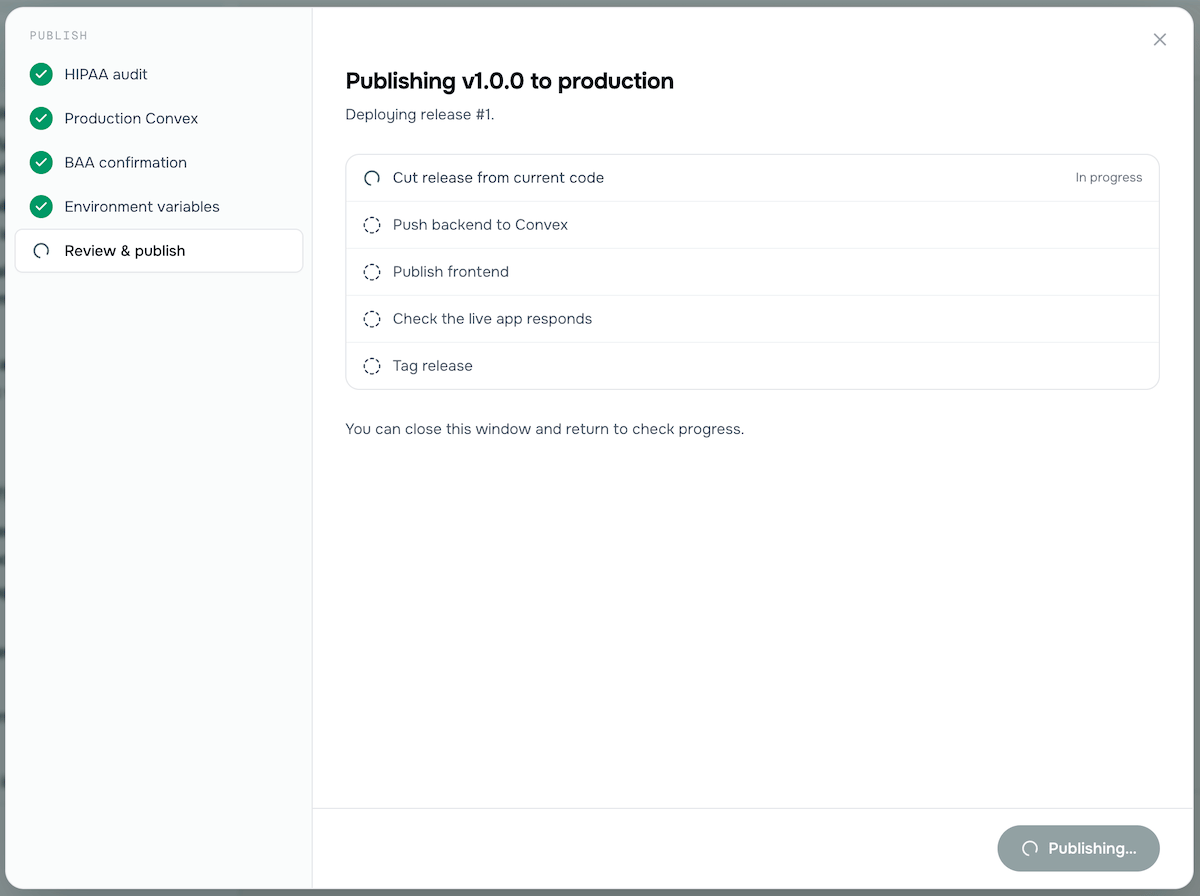
Publishing in progress - you can close this window and return to check progress.
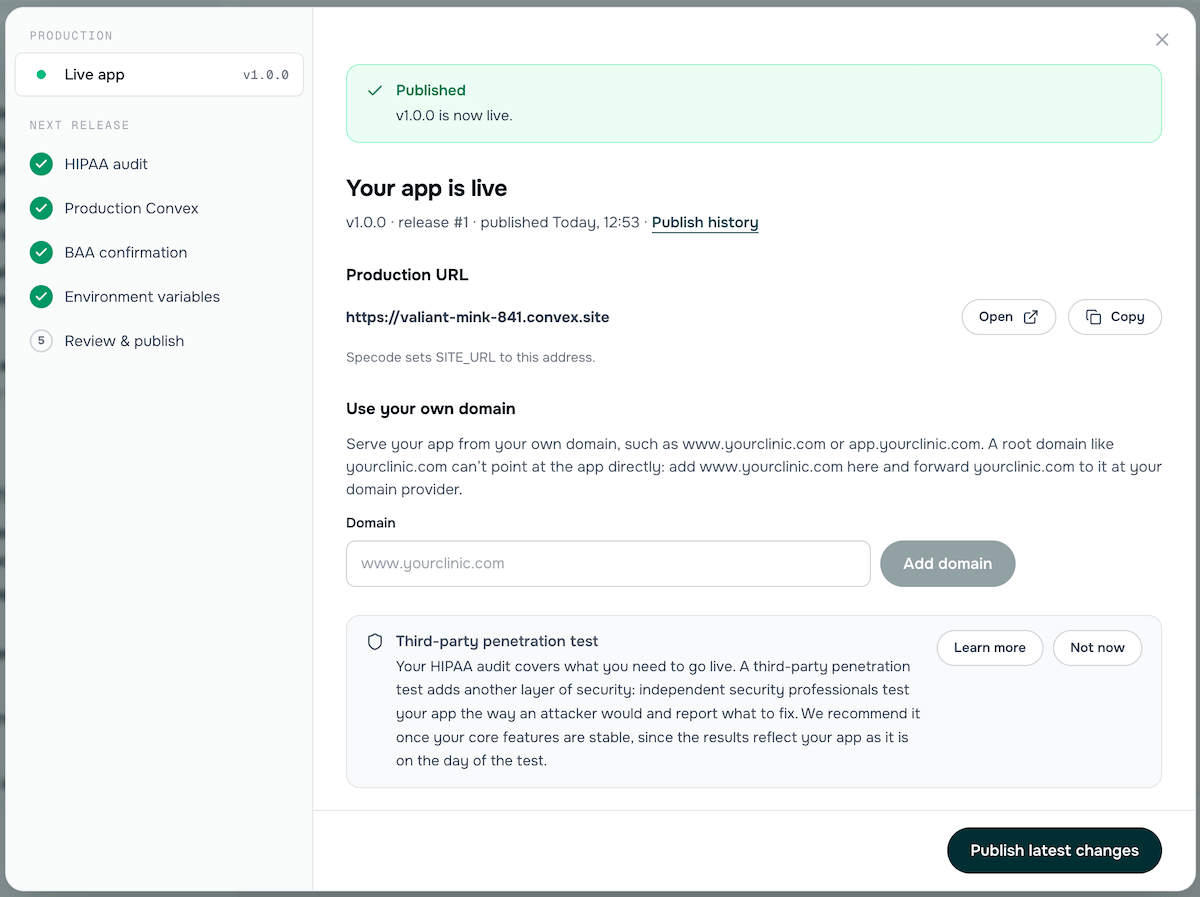
Published! Your app is now live at your production URL.
After Publishing
Your Production URL
After publishing, your app is live at a Convex-hosted URL (e.g.,https://valiant-mink-841.convex.site). Specode automatically sets the SITE_URL environment variable to this address.
Custom Domain
You can serve your app from your own domain, such aswww.yourclinic.com or app.yourclinic.com. A root domain like yourclinic.com can’t point at the app directly - add www.yourclinic.com and forward yourclinic.com to it at your domain provider.
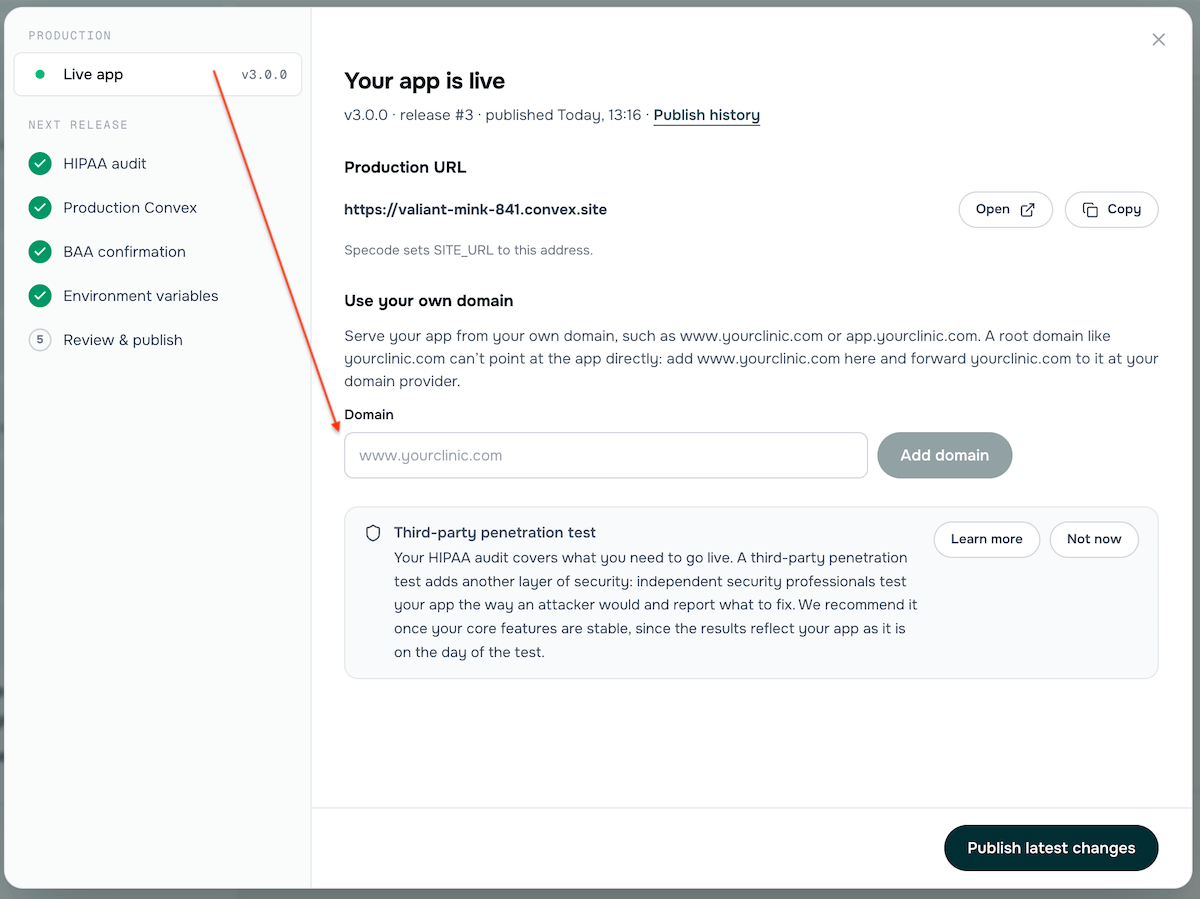
Add your custom domain from the live app panel.
- In the Convex dashboard, open your Production deployment > Settings > Custom Domains, enter your domain, keep HTTP Actions selected, and click Add Domain. Leave “Override Environment Variables” as is.
- At your domain provider, add these records. On Cloudflare, set both to DNS only:
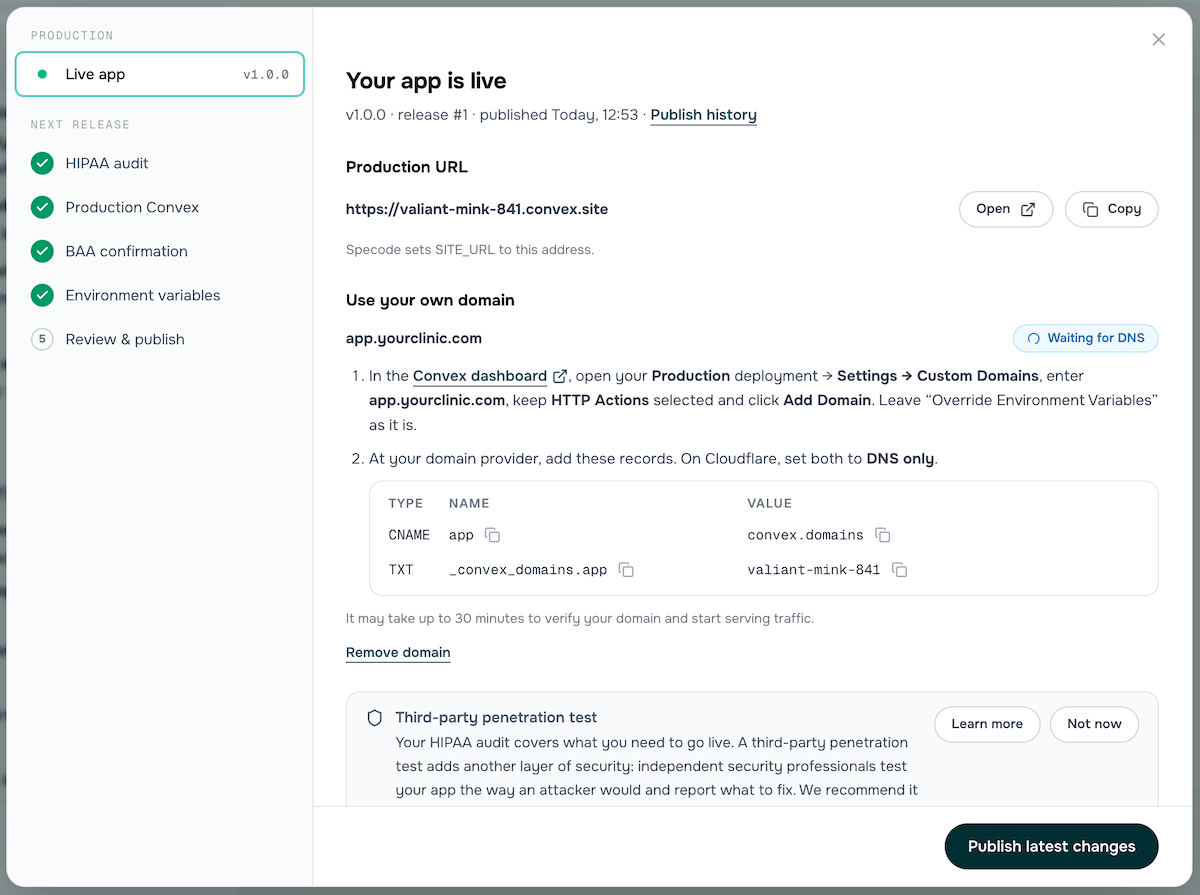
DNS records to configure at your domain provider.
Publish History
Every publish is versioned. You can see your full publish history with the release number, version, timestamp, and status. From the history, you can:- Roll back to a previous version
- Rebuild from the same code version (useful after changing a domain or environment variable)
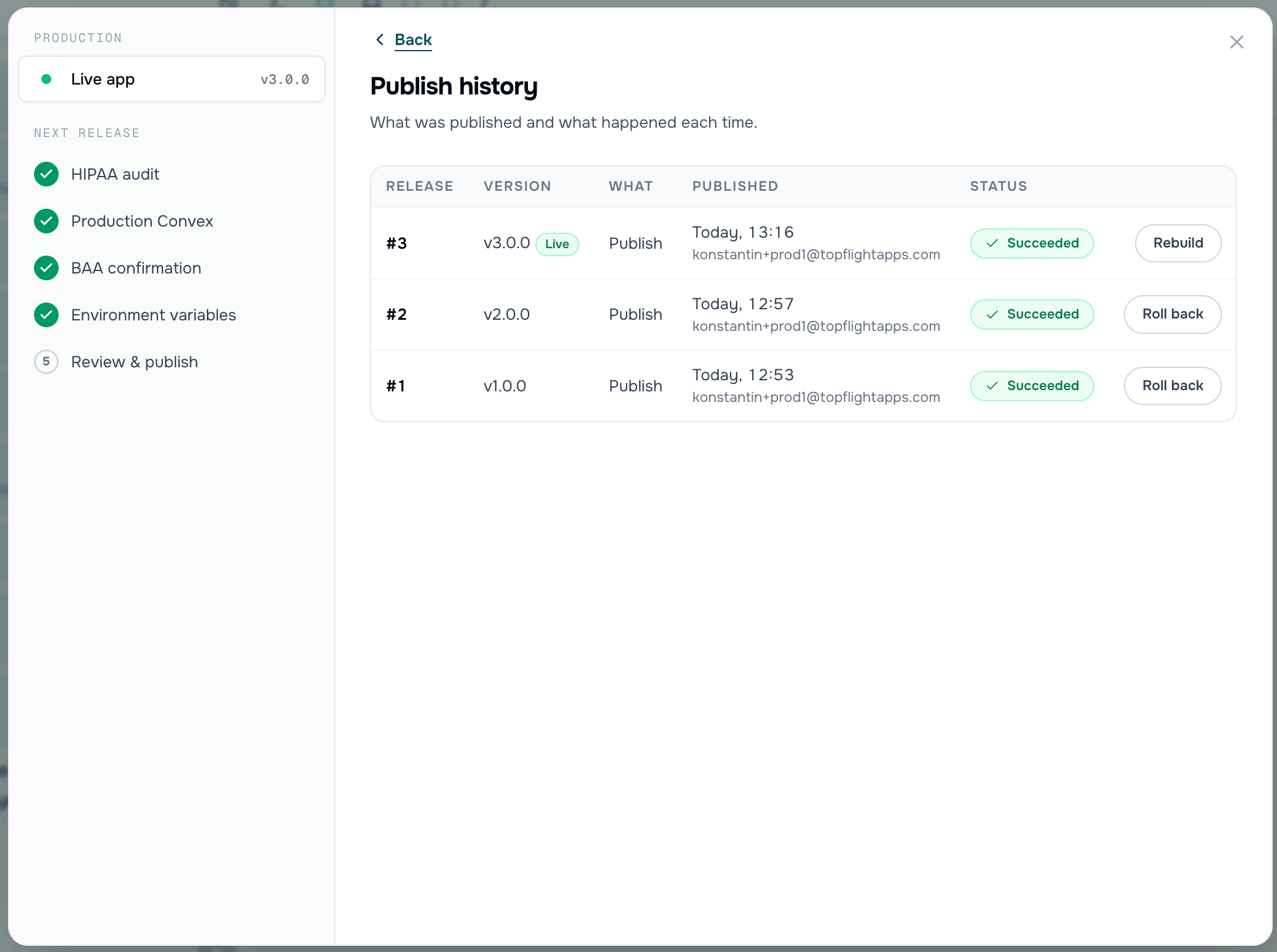
Publish history showing versioned releases with rollback and rebuild options.
Pushing Updates
Once published, you keep full access to your Specode project. New changes in your project do not automatically sync to the live app. When you’re ready to push changes to production:- Make and test your changes in the Specode development environment
- Press Publish - the flow will require a fresh HIPAA audit if your code changed since the last one
- The new version is deployed and tagged in your GitHub repo
GitHub Integration
If you connected a GitHub repository, every publish pushes your code and tags it with the release version. You can also:- Push code manually from Project Settings > Connections at any time
- Pull from GitHub to bring commits made directly on GitHub into Specode (a publish will wait until external changes are pulled)
BAAs and Third-Party Services
For HIPAA compliance, you’ll need signed BAAs with each service that handles protected health information (PHI). This includes:- Convex - self-serve BAA signed in your Convex dashboard (included on the Convex Professional plan)
- Mailgun (or your chosen email provider) - for transactional emails like password resets and notifications. Set up your account, get your API key, configure your sending domain, and sign their BAA.
- Any other third-party services whose APIs touch PHI in your app (telehealth, messaging, eRx, analytics, etc.)
- Switch providers - Look for a HIPAA-compliant alternative that offers BAAs.
- Eliminate PHI from emails - Ask the Specode AI to audit your app’s email notification flow and confirm that no PHI is included in any outgoing emails (to patients, clinicians, or other roles). If emails contain only non-PHI information (appointment reminders without details, generic notifications, etc.), a BAA may not be required. Prompt example: “Analyze the code and ensure the email notification flow does not expose any PHI. Any email should contain the minimum information that does not qualify as PHI.”
- With Google sign-in enabled, users may not enter their email separately in the app, which means email notifications (handled by your transactional email provider) need extra configuration to capture the right address.
- Google sign-in must be separated from email notification functionality - it should only be used for authentication, while all email notifications must route through your HIPAA-compliant email provider (e.g., Mailgun with a signed BAA).
- If this adds complexity, consider using email-only registration/sign-in to keep the compliance surface area smaller.